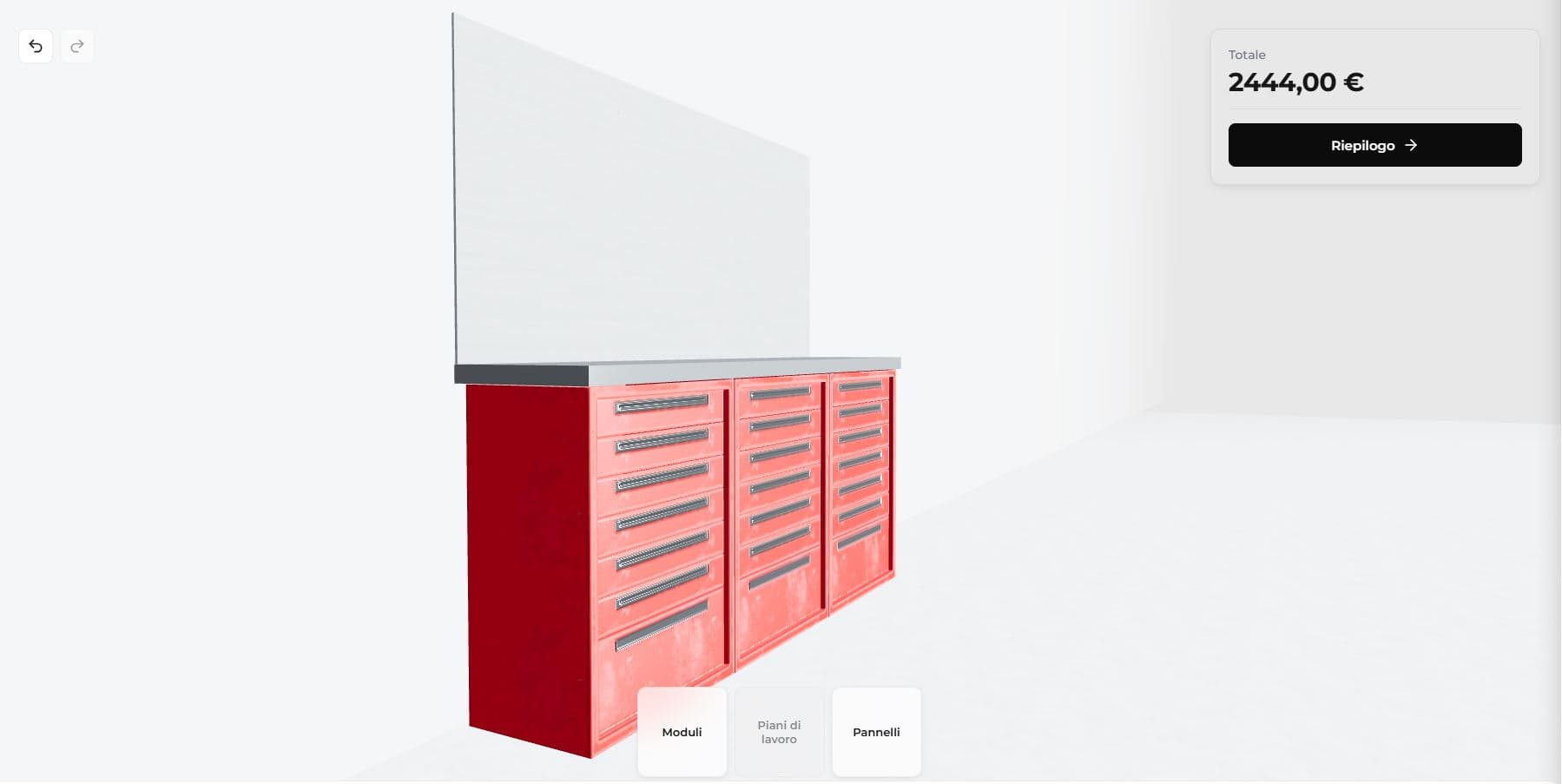
Architecture: intelligent grid for managing product constraints and optimal mobile UX
This configurator uses a guided grid pattern with rule engine, a proven approach for high-complexity configurators where dimensional constraints and compatibility must be validated in real-time.
Positioning occurs on an assisted grid: when you select a product, the system automatically calculates compatible positions and highlights only valid slots.
This is made possible by a rule engine that handles combinatorial rules and multi-level dependencies:
- Base units of various types positionable on the grid
- Wall panels positionable only when base units are present below
- Worktops of single or double width positionable only on free base units of suitable width
This approach guarantees:
- Exclusively valid and production-ready configurations (physical constraints always respected)
- Immediate compatibility feedback without trial & error
- Smooth touch UX compared to drag & drop, which is problematic on mobile
Performance: Progressive Asynchronous Loading and optimized 3D models
3D models have been carefully optimized for web performance and are loaded incrementally and asynchronously: the interface is immediately interactive while models load in the background.
The performance of this demo (FCP <2s, 60 FPS) is representative of production-grade 3D configurators on optimized infrastructure.
What this means in practice:
1. Reduced user abandonment rate 2. Smooth experience (60 FPS) even on mid-range mobile devices 3. Users can immediately start configuring products
UX Pattern: Progressive Disclosure and Guided Flow
The interface uses dynamic panels that show only the options relevant to the current action, following the progressive disclosure pattern. Three distinct modes are defined:
1. Product selection: catalog filtered by category 2. Positioning: grid with available slots highlighted 3. Product editing: specific controls for finishes, dimensions, accessories
This approach reduces decision fatigue without limiting configuration possibilities: the user sees a manageable number of options (less than 5) per screen and can create a complex configuration.
Interaction happens directly on the 3D models: click or tap on a product in the scene to select it and access editing options, with immediate highlighting system for hover and selection.
Minimal UI and Real-Time Pricing
The interface overlays only essential elements on the 3D scene, with modern, minimalist glassmorphic-style panels that maintain context visibility:
- Live pricing: instant configuration update with every change, a central component of a CPQ configurator that allows customers to immediately evaluate the economic impact of each choice
- Product catalog: with category navigation
- Summary button: access to complete details and export/checkout
- Undo/Redo: navigable modification history
Export and Integrations
A CPQ configurator integrated with business systems reduces order errors and returns, aligns sales and production on a single source of truth, and accelerates time-to-market for new products. Configurators developed by PARAMETRA integrate into business processes through export and integration features built around customer needs.
Output formats:
- Quote PDF with photorealistic renders and bill of materials
- CSV/JSON for ERP/management system import
- CAD files (DXF/DWG) for technical office
- Bill of Materials (BOM)
Integrations:
- REST API for real-time price synchronization
- Webhooks to notify CRM/ERP of new orders
- Iframe embed in existing e-commerce sites
- SSO for salespeople/dealers
Industry Applications
A 3D CPQ configurator with these features is the ideal solution for modular products with compatibility constraints such as:
- Modular kitchens: base units, wall cabinets, columns, appliances
- Wardrobes and walk-in closets: structures, doors, interiors, accessories
- Modular bookcases: modules, shelves, containers, closures
- Office systems: desks, storage units, dividers
- Industrial and workshop furniture: workbenches, tool cabinets, shelving