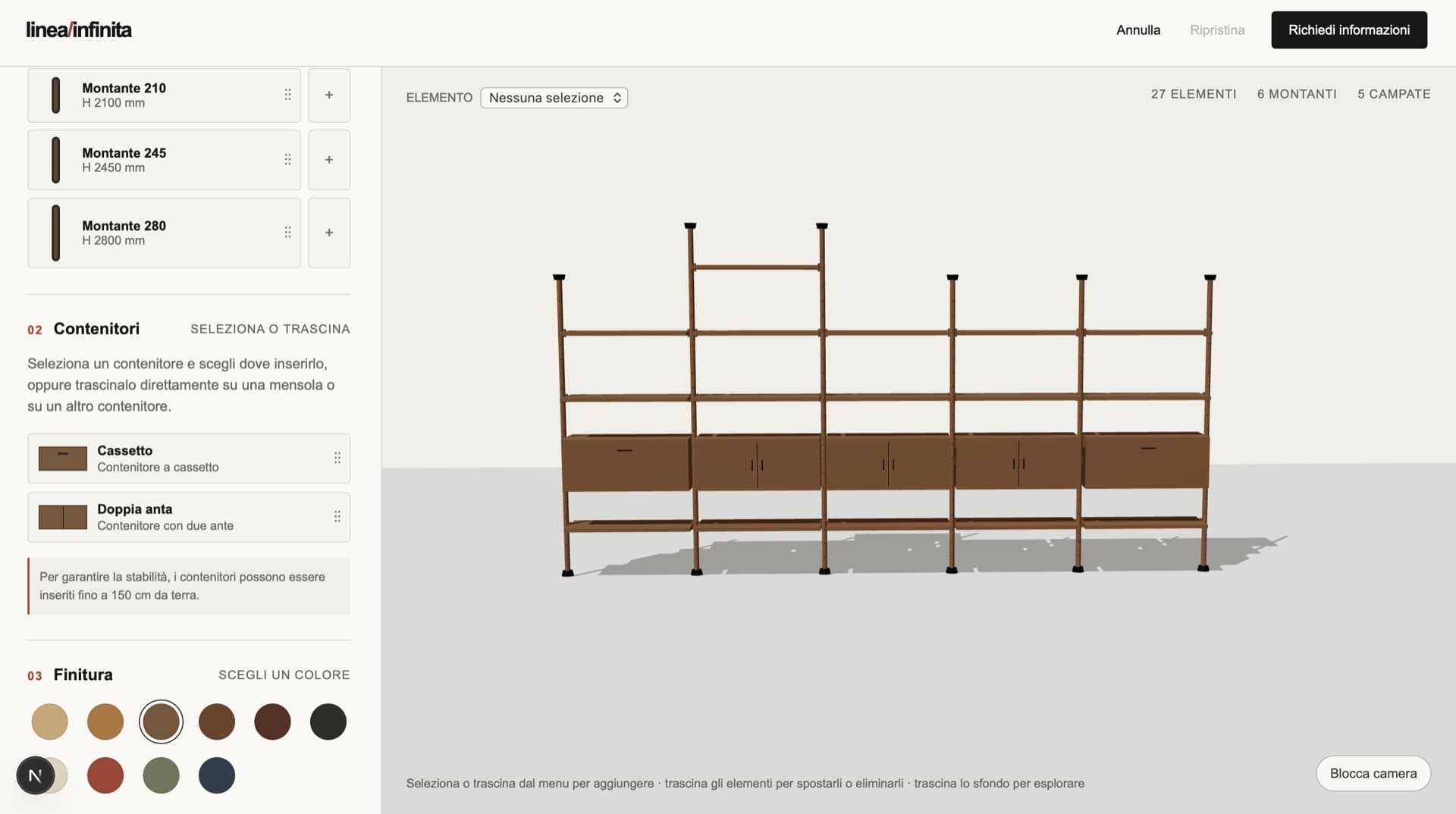
Architecture and compatibility engine
The compatibility engine developed for this demo mirrors the physical constraints of a system of this kind:
- shelves and containers can be placed only and exclusively between two uprights,
- uprights of different heights can hold different quantities of shelves or container modules, and shelves and containers only fit the levels between two uprights
- container modules can be placed only within a given height, to guarantee the stability of the bookcase;
- shelves and containers are interchangeable, but no level of a bay is ever left empty: an element always enters in place of another
The demo offers 3 upright heights, 2 types of container that can be placed up to 150 cm from the floor and 10 finishes applicable to the entire composition. At the same time, a compatibility engine like this one scales to wider and more complex catalogues.
User experience: drag & drop with visual hints
The goal of this demo, and of any configurator, is to make these rules intuitive and implicit in the user experience. Without having to explain them.
To achieve this we developed several gestures for building the desired composition. Users can add uprights, shelves and containers to the scene either by dragging them or by selecting them and placing them from the menu. When the drag begins, or after the selection, the engine computes the positions available for that element and displays them in the scene, so that the user can release the dragged object or perform the second click.
This upfront validation, carried out according to the rules described above, ensures that under no circumstances can the user place elements that do not correspond to a bookcase that can actually be built. At the same time, rendering the valid positions guides the user with no need for written explanations, much like in the modular furniture 3D configurator.
Once elements are placed, users can move them, either by dragging them directly or by clicking dialogue buttons. They can replace containers with shelves and move uprights to reposition them to the right or the left of the composition. They can also delete them, using keyboard commands, dialogue buttons, or by dragging them into the bin that appears during the interaction.
These different gestures for adding, moving and removing products ensure that every user can perform them in the way that is most intuitive, comfortable and suited to their own device.
The same interaction patterns are in fact adapted to touch on mobile and tablet, and can be reproduced through keyboard commands for compliance with accessibility regulations.
Reconciliation logic, atomic operations and history
The attentive reader will already have wondered (or tried): what happens if an inner upright or a container is deleted?
The configurator's goal is to compute, and therefore always display, a composition that is both commercially and physically valid. In this case we chose to develop reconciliation logic: when a container is deleted its place is automatically taken by a shelf, while when an inner upright is deleted the whole composition shifts to close the gap. Similar logic with different outcomes can equally be developed, according to the real requirements of the product being configured.
Every operation is at the same time atomic and inclusive of any reconciliations it triggers: every previous state can therefore be restored through the dedicated buttons or the ctrl+z/ctrl+y keyboard commands.
The same mechanism governs commercial variants. A finish change replaces the product code (SKU) of every element in the composition — uprights, shelves and containers, at any level of the hierarchy — in a single operation.
Pricing, export and integrations
Price is not stored in the configuration: on every change the quotation is recalculated from the product codes (SKU) contained in the configuration and the current price list. This separation, which may look like a technicality, makes it possible to update price lists, discounts and catalogue versions without touching configurations customers have already saved or shared through the dedicated buttons, which remain readable and recalculable against current prices.
The demo stops at configuration, but the configurators we develop at PARAMETRA are integrated into the client's business processes, with exports and integrations built around their actual workflow. The configurator can produce a range of outputs, for example:
- PDF quotation with a render of the configuration, material list and line prices
- bill of materials (BOM) structured according to the product hierarchy
- CSV and JSON for import into ERP and management systems
- CAD files (DXF/DWG) for the technical office
- cutting and drilling lists for production, where modules are made to measure
And it can be integrated with existing business systems:
- CRM and ERP on confirmation of a configuration
- integration with the company product catalogue, which remains the single source of truth for codes, dimensions and variants
- e-commerce platforms and existing websites
- restricted access with SSO for salespeople, dealers and designers, with price lists differentiated by profile
Applications: modular products with a load-bearing structure
A configurator of this kind can be applied to many areas: the common denominator is not the sector but the structure of the product:
- Bookcases and upright systems, self-supporting or wall-mounted, where the structural pitch determines what can be placed and at which height
- Fitted wall panelling and storage walls, where panels, shelves and containers share a continuous structure and a common finish
- Walk-in wardrobes and closet systems built on uprights or frames, with interchangeable interiors and height constraints for drawer units and hanging rails
- Retail shelving and shop fitting, where the same system is adapted to different surfaces and layouts store by store
- Display systems, modular stands and exhibition fit-outs, configured to measure for each event from a fixed inventory of components
- Panel-based office furniture and fitted partitions, with accessories constrained to the structural grid
- Industrial shelving and light warehousing, where load and height limits are safety constraints before they are commercial ones